Steam marketing has always involved a difficult contradiction.
You need a release date to give players confidence. But the moment you publish that date, you also start competing for attention with every other game heading towards launch.
Steam’s Personal Calendar changes the shape of that competition. Instead of showing every player exactly the same list of upcoming releases, Steam uses a personalised calendar to show upcoming and recently released games it thinks that individual player may care about. Wishlisted games are included too.
That makes the feature important for developers. It also makes it easy to misunderstand.
The Personal Calendar is not a magic “get more wishlists” button. It is not a guaranteed replacement for Popular Upcoming. And there is no public developer switch that lets you force your game into a player’s recommendations.
What you can do is make sure your game is eligible for the parts of Steam’s discovery system that are within your control, then use the additional visibility as part of a wider launch plan.
What is Steam’s Personal Calendar?
Steam describes the Personal Calendar as a personalised view of recent and upcoming releases. It is designed to show each player a selection of games that Steam believes they are likely to be interested in.
The official Steam announcement for the Personal Calendar describes two main parts:
- an upcoming-release calendar
- recent releases organised into week and month views
The upcoming calendar includes games a player has already wishlisted, whether or not Steam’s recommendation system would otherwise have selected them. That matters because a wishlist is not only a notification mechanism. It is also an expression of interest that can put a game in front of the person who made it.
Steam’s system is personalised by design. Two players will not necessarily see the same games, in the same order, for the same length of time. A game’s genre, tags, player behaviour, region, language and other signals may affect what a particular person sees, but developers should be cautious about treating outside observations as a complete explanation of Valve’s system.
The practical takeaway is straightforward: you are not marketing to one universal Steam homepage anymore—if you ever really were. You are trying to make your game legible and interesting to the right players.
What Valve confirms for developers
Valve’s Steamworks documentation on release dates provides the most useful starting point for planning.
For an upcoming game, a release date helps Steam understand when players should expect it and when it should appear in upcoming-release surfaces. Valve also says that the date supports storefront features, wishlist notifications and events such as Steam Next Fest.
For an Early Access game moving towards version 1.0, Steamworks now provides a way to select a planned full-release date from the Early Access tools. Once saved and published, the date can appear in the Early Access description and in users’ Personal Calendars for upcoming games.
That is a significant planning detail for Early Access teams. The 1.0 transition is not merely a product milestone. It is also a new communication and discovery moment.
Valve’s wishlist documentation confirms that wishlisted games can generate notifications when they release. For a game that transitions from Early Access to full release, Valve says another notification is sent to users who still have the game on their wishlist at that time.
These are confirmed platform behaviours. They do not tell you exactly how many people will see your game in their Personal Calendar, how often they will see it or how many wishlists you will gain. That distinction matters.
What the Personal Calendar does not guarantee
The most dangerous way to plan around a new storefront feature is to turn a possibility into a promise.
The Personal Calendar does not guarantee:
- a specific number of impressions
- a specific position on a Steam page
- a specific number of wishlist additions
- inclusion for every player
- visibility for a particular number of days
- a successful launch without external marketing
Developers may see changes in wishlist activity when a game appears in a personalised discovery surface, but Valve does not publish a performance guarantee for any individual title.
The same caution applies to claims about thresholds, timing windows and algorithmic triggers. Treat any outside observation as a hypothesis to test, not as a platform rule. Use your own store-page, wishlist and campaign data to understand what is working for your game.
Why a specific release date matters
A specific date does more than make your store page look finished.
It gives players a clear answer to the question: “When can I play this?” That clarity supports wishlisting, press planning, creator outreach, event preparation and internal campaign deadlines.
It also gives Steam a calendar point to work with. Valve’s documentation explains that an upcoming game’s release date is used for upcoming-release listings and other platform timing. For an Early Access game, the planned 1.0 date can be surfaced through the Personal Calendar once it has been selected and published.
You should not choose an arbitrary date just to unlock a storefront surface. A date creates expectations. If you change it repeatedly, the communication cost can outweigh the benefit of having an early target.
Choose a date when:
- the game’s scope is understood
- the store page is ready to represent the current product
- you can build a realistic campaign backwards from launch
- the team understands what would force a delay
- your audience will not be left with a misleading promise
If you need flexibility, Steam supports different ways to display release timing publicly. You can still work towards a specific internal target without publishing every detail immediately. Check the current Steamworks rules before making a change, particularly as the release window approaches.
The Personal Calendar makes positioning more important
Personalisation increases the value of clarity.
If Steam is deciding which players may be interested in your game, the store page needs to communicate the game’s identity quickly. A vague description gives the platform—and the player—less to work with.
This does not mean stuffing your page with every possible genre tag. It means being honest and specific about the experience:
- What kind of game is it?
- Who is it for?
- What does the player do repeatedly?
- Which familiar games or genres help explain it?
- What makes this version different?
Your capsule art, trailer, screenshots, tags and description should point in the same direction. A player who clicks through from a personalised recommendation should immediately recognise why the game appeared in their calendar.
This is not a request to market to everybody. In a personalised store, “for everyone” can become another way of saying “for nobody in particular.”
Wishlists still matter—but they are not the whole strategy
Adding a game to a wishlist is a valuable action because it gives Steam a clear signal of player interest and lets the player receive launch notifications.
But a wishlist is not a campaign plan.
You still need to answer the harder questions:
- Why should a player wishlist the game today rather than forget it?
- What will make them return before launch?
- Which content will show the game clearly to the right audience?
- How will you turn a wishlist into a purchase or a meaningful launch interaction?
Steam’s own wishlist guidance recommends putting up a Coming Soon page as soon as you are ready, staying engaged over time and using events such as a full release, update or sale as reasons for players to return.
That is a healthier framework than chasing a single wishlist number. Build a recognisable game, publish useful updates, create reasons to revisit and measure what happens around each activity.
Build your campaign around the calendar, not just on it
The Personal Calendar should sit inside your launch campaign rather than replace it.
A useful planning sequence might look like this.
Before the release date is public
Make sure the Steam page explains the game quickly. Confirm that the trailer shows real gameplay, the screenshots support the positioning and the tags are relevant to the audience you actually want.
Test the page with people who are not already close to the project. Ask what they think the game is, who they think it is for and what they would expect after watching the trailer.
Several weeks before launch
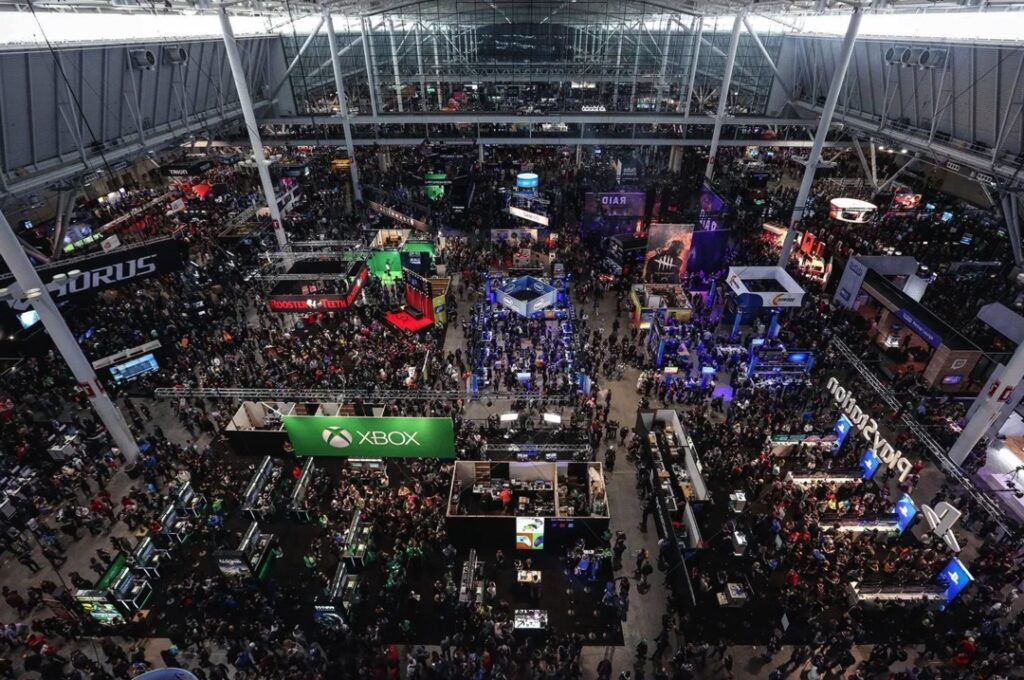
Start building a rhythm of reasons to pay attention. That might include a playable demo, creator outreach, a development update, a festival appearance or a focused feature announcement. If you are taking the game to a physical event, my guide to exhibiting at gaming events covers how to turn that appearance into a useful marketing opportunity rather than treating the booth as the whole campaign.
Do not confuse activity with progress. Ten disconnected posts are less useful than one strong piece of content that can be repurposed across your relevant channels.
My guide on how to prepare for Steam Next Fest covers this broader preparation principle: the demo, store page, community interaction and outreach need to be ready before the event, not improvised during it.
Around the final launch window
Coordinate your announcements so that players encounter a consistent message across Steam, your website, email, social channels, creators and press.
Make the call to action clear. Is the player being asked to wishlist, download the demo, watch the trailer, join a test or buy the game? You can support several actions across a campaign, but each individual message should have a job.
After launch
Do not stop communicating because the game is now available. Steam’s official documentation makes clear that updates, sales and a full-release transition can give players new reasons to return.
For an Early Access game, the 1.0 launch should be treated as a second major campaign moment—not as proof that the original launch no longer matters. Existing players need to understand what changed. New players need a clear reason to join. Your communication should serve both.
Use Steam as the source, then extend outward
A common mistake is to treat Steam as the place where players eventually arrive, but not the place where the campaign should live.
If players discover your game through Steam, make sure the important information is available there. Keep the community hub active. Answer questions. Post meaningful updates. Make the path from discovery to understanding to wishlist as short as possible.
That does not mean abandoning Discord, YouTube, Reddit, social platforms, email or press outreach. It means knowing what each channel is for.
My article on building a game community beyond Discord makes the case for building direct relationships and avoiding dependence on a single external platform. Your email list, website and community channels can carry the story around your Steam presence. Steam remains the source-adjacent place where discovery, wishlist activity and purchase decisions meet.
If you use developer diaries or video updates, my guide to using YouTube to market an indie game offers a useful complementary channel. The video should still lead people back to the store page with a clear reason to act.
Measure the right things
The Personal Calendar may change the way players encounter your game, but you will not learn much from looking only at total wishlists.
Track changes around specific activities:
- store-page visits
- wishlist additions
- demo downloads
- demo play activity where available
- creator coverage and referral traffic
- press coverage
- community participation
- sales and conversion around launch events
- wishlist-to-purchase conversion after release
Compare the timing of those changes with what you actually did. If wishlists rise after a festival, creator campaign and trailer update all happen in the same week, do not claim that one platform surface caused the entire increase.
Keep a record of the campaign. Note the date, asset, audience, channel and intended action. This will help you make better decisions for the next milestone, even if Steam’s recommendations remain partly opaque.
Should you delay a launch to use the Personal Calendar?
Probably not for that reason alone.
A release date should be chosen because the game and the team are ready, the audience can be served properly and the campaign has a credible chance of creating momentum. The Personal Calendar is a useful discovery opportunity within that plan.
If the feature encourages a studio to publish a Coming Soon page earlier, improve its positioning, earn more legitimate wishlists and maintain communication over a longer runway, that is a positive outcome.
If it encourages a studio to pick an unrealistic date, chase an unverified threshold or assume that Steam will market the game for free, it becomes a distraction.
The same principle applies to shadow drops. A surprise release may feel exciting, but it removes much of the time you need to build awareness, earn wishlists and coordinate creators and press. The Personal Calendar is another reason to plan a visible runway rather than treating launch as a single unexpected event.
A practical checklist for developers
Before you plan around Steam’s Personal Calendar, check that:
- Your Steam store page is live and clearly positioned.
- Your game’s genre, tags, screenshots and trailer agree with one another.
- You have a realistic intended release date.
- You understand whether you are planning a first release, an Early Access launch or an Early Access-to-1.0 transition.
- Your release date is correctly configured in the relevant Steamworks tools.
- You have a wishlist reason that is stronger than “please support us.”
- Your demo, if you have one, represents the game honestly.
- Your press and creator outreach can start before the final launch window.
- Your community knows what is happening next.
- You have defined the metrics you will review after each campaign beat.
- You have not treated third-party observations about Steam’s algorithm as guaranteed platform rules.
Steam gives you another opportunity, not a shortcut
The Personal Calendar is worth understanding because it expands how players can encounter upcoming and recent games. Wishlisted titles are part of that experience, and Steam’s own documentation confirms that release dates and wishlists support important discovery and notification behaviours.
But the platform cannot decide what your game means to the right audience. It cannot repair unclear positioning, an unconvincing trailer or a launch plan that begins too late.
Use the calendar as one part of a longer campaign. Publish your page early enough to learn. Give players a clear reason to wishlist. Build a date you can communicate honestly. Create useful beats before and after launch. Measure what happened without claiming more certainty than the data supports.
Steam may put your game in front of a player. Your marketing still has to give that player a reason to care.